You’ve just shipped a new feature. Now you need to get your customers to actually use it.
That’s where a feature announcement email comes in.
A good feature announcement email does more than tell customers what you built. It quickly explains what’s new, why it matters, and what they can do with it. The best ones make a new feature feel useful before the reader even clicks through to try it.
But writing these emails isn't always easy. You need to explain the feature without drowning readers in technical details, highlight the value without sounding overly promotional, and give people a clear next step.
And you don't need to reinvent the format every time you ship something.
In this guide, you'll find feature announcement email examples for different types of product launches, from simple improvements and major features to new integrations, AI features, redesigns, and customer-requested updates.
For each example, we'll break down what makes the email work and how you can adapt the approach for your own SaaS product.
Let's get started.
What Is a Feature Announcement Email?
A feature announcement email is a message you send to customers to let them know about a new feature, improvement, or capability in your product.
It can be as simple as announcing a small improvement:
“You can now export your reports as CSV.”
Or it can introduce a major product capability:
“Meet our new AI assistant.”
The goal isn't simply to inform customers that something changed. A good feature announcement should help them understand why they should care and encourage them to try the feature.
A typical feature announcement email includes:
A clear subject line that creates interest.
The announcement — what you've launched.
The benefit — how the feature helps the customer.
A short explanation of how it works.
A call to action that encourages the reader to try it.
For example, instead of saying:
“We've added custom dashboards.”
You could say:
“You can now build custom dashboards to see the metrics that matter most to your team—all in one place.”
The second version gives the customer a reason to care about the feature, not just a description of what was added.
This distinction becomes especially important for SaaS products. Your customers don't necessarily need to know how much work went into building a feature. They need to understand what it does for them.
That's why the best feature announcement emails focus less on the development process and more on the customer outcome.
What Makes a Good Feature Announcement Email?
A feature announcement email doesn't need to be long or elaborate.
In fact, the best ones are often surprisingly simple.
What matters is whether the reader can quickly understand what changed, why it matters, and what to do next.
Here are the key elements of an effective feature announcement email.
1. Lead with the feature
Don't make customers hunt for the announcement.
Tell them what's new early in the email. A headline such as “You can now schedule reports” is much more useful than a vague headline like “A better way to work.”
The reader should understand the purpose of the email within a few seconds.
2. Explain the benefit, not just the functionality
A feature description tells customers what your product can do.
A benefit tells them why they should care.
Instead of:
“We've added bulk editing.”
Try:
“Update hundreds of records at once instead of editing them individually.”
The second version connects the feature to a real problem and makes the value immediately obvious.
3. Keep the explanation simple
Your customers don't need a technical breakdown of how the feature was built.
Avoid filling the email with implementation details, internal terminology, or long explanations of the development process.
Focus on the outcome.
If the feature is complicated, explain it in a few simple steps or use screenshots or a short GIF to show it in action.
4. Show the feature in action
A screenshot, GIF, or short video can often explain a new feature better than several paragraphs of text.
For example, if you've redesigned your dashboard, showing the new interface gives customers an immediate idea of what's changed.
Visuals are particularly useful for features that are difficult to explain with words alone.
5. Give customers one clear next step
Every feature announcement should have a purpose.
Usually, that's getting customers to try the new feature.
Use a clear call to action such as:
Try the new feature
Create your first report
Explore the new dashboard
Enable the integration
See what's new
Avoid giving readers several competing actions. If trying the feature is the main goal, make that the primary CTA.
6. Make the email feel like an update, not an advertisement
Customers generally don't need another sales pitch from a product they already use.
You can be enthusiastic without turning the email into marketing copy filled with exaggerated claims.
A simple:
“You asked for it. It's finally here.”
can feel much more natural than:
“We're revolutionizing the way you manage your workflow with our groundbreaking new solution.”
Write like you're telling an existing customer about something useful you've just added.
7. Give context when it matters
Some features need a little background.
If customers have been requesting something for months, mention it.
If the feature solves a common problem, explain that problem.
If it's part of a larger product improvement, give readers enough context to understand where it fits.
For example:
“We've heard from many teams that managing permissions across multiple projects was becoming difficult. You can now create custom roles and control exactly what each team member can access.”
Now the announcement feels connected to a real customer problem.
8. Don't announce every tiny change the same way
Not every product update deserves a major email.
A completely new feature might deserve a dedicated announcement with screenshots and a strong CTA.
A small bug fix probably doesn't.
Consider the importance of the update, how many customers it affects, and whether they need to take action before deciding how much attention it deserves.
The goal isn't to send more emails.
It's to make the emails you send worth opening.
With these principles in mind, let's look at some feature announcement email examples you can adapt for your own product.
Feature Announcement Email Examples
The best way to understand a good feature announcement email is to see one in action.
Below are examples for different types of SaaS product launches. Each example uses a slightly different approach depending on the feature, the customer, and the goal of the announcement.
1. New Feature Announcement Email
This is the most common type of feature announcement email: you've added something new to your product that makes an existing workflow easier or more useful.
Subject: Meet your new project dashboard
Email:
Hi Sarah,
You can now see your entire project in one place.
We've just launched Project Dashboard, a new way to track tasks, deadlines, progress, and team activity without jumping between different screens.
With the new dashboard, you can:
See what's currently in progress
Spot overdue tasks
Track overall project progress
Quickly see what your team is working on
Everything is updated in real time, so you always have a clear picture of where things stand.
[Try the new dashboard →]
We'd love to hear what you think.
— The Acme Team
Why it works
The email gets to the point quickly.
Instead of spending several paragraphs explaining how the dashboard was built, it focuses on what customers can do with it. The bullet points also make the benefits easy to scan.
The CTA gives the reader one obvious next step: try the feature.
2. Major Product Feature Announcement
A major feature deserves more context than a small improvement.
If you've spent months building something that significantly expands what your product can do, use the announcement to explain the problem you're solving and why the feature matters.
Subject: Introducing automated workflows
Email:
Hi James,
You can now automate the repetitive work in your team.
Today we're launching Automated Workflows, a new way to create rules that automatically perform actions when something happens in your workspace.
For example:
When a task is completed → notify your team
When a customer signs up → create a follow-up task
When a deadline is approaching → send a reminder
Instead of checking your workspace and doing these actions manually, you can set them up once and let them run automatically.
We've been working on this for the past few months, and we're excited to finally put it in your hands.
[Create your first workflow →]
Have feedback? Just reply to this email. We'd love to hear from you.
— The Acme Team
Why it works
The email starts with the outcome, not the feature name.
“Automated Workflows” tells you what the feature is, but “automate the repetitive work in your team” tells you why you should care.
The examples also make a potentially complicated feature easy to understand without requiring a technical explanation.
3. Small Feature or Improvement Announcement
Not every feature needs a huge launch campaign.
For smaller improvements, keep the email short and focus on the immediate benefit.
Subject: A small update that will save you time
Email:
Hi Sarah,
You can now duplicate projects with one click.
Instead of creating a new project and setting everything up again, just open an existing project and select Duplicate.
Your tasks, settings, and structure will be copied automatically.
One less repetitive task to deal with.
[Try it now →]
— The Acme Team
Why it works
There's no need to over-explain a simple feature.
The email tells customers:
What changed
What problem it solves
How to use it
Where to try it
That's enough.
For small improvements like this, a short email can actually be more effective than a long announcement.
4. New Integration Announcement
Integrations deserve their own type of announcement because they connect your product to a tool customers may already use every day.
Subject: You can now connect Acme with Slack
Email:
Hi James,
Your team can now connect Acme with Slack.
Once connected, you can send important project updates directly to the Slack channels your team already uses.
You can automatically notify your team when:
A project is completed
A task is assigned
A deadline changes
A new comment is added
No more switching between apps just to check what's changed.
[Connect Slack →]
The integration is available to all Pro customers starting today.
— The Acme Team
Why it works
The announcement immediately connects the integration to a familiar workflow.
Rather than simply saying “We launched a Slack integration,” it explains what customers can actually accomplish with it.
The CTA also matches the goal of the email: connecting the integration.
5. AI Feature Announcement
AI features can be difficult to announce because the technology itself isn't necessarily the benefit.
Instead of focusing on the fact that you added AI, explain what the AI helps customers accomplish.
Subject: Turn your notes into action items with AI
Email:
Hi Sarah,
You can now turn meeting notes into organized action items in seconds.
Our new AI Meeting Assistant automatically analyzes your notes and identifies tasks, owners, and deadlines.
Just paste your meeting notes and let the AI do the rest.
Before:
45 minutes spent turning notes into tasks.
Now:
Paste → Generate → Review → Done.
You stay in control of the final result, while the repetitive work happens automatically.
[Try AI Meeting Assistant →]
— The Acme Team
Why it works
The email doesn't lead with “We added AI.”
It leads with the job the customer wants to accomplish.
That's especially important for AI products and AI-powered features. Customers care less about the underlying model and more about whether the feature saves them time or helps them get better results.
6. Feature Requested by Customers
If a feature exists because customers asked for it, tell them.
Customer-requested features are a great opportunity to make an announcement feel personal rather than purely promotional.
Subject: You asked for it. It's finally here.
Email:
Hi James,
You asked, and we built it.
Custom notification schedules are now available.
You can now choose exactly when you want to receive notifications instead of receiving them immediately.
Go to Settings → Notifications and choose the schedule that works best for you.
This feature was one of our most requested improvements, so we're excited to finally make it available.
[Set your notification schedule →]
Keep the feedback coming.
— The Acme Team
Why it works
The opening immediately creates a connection with customers.
When a feature comes directly from customer feedback, mentioning that feedback shows people that their requests aren't disappearing into a black hole.
It can also encourage more customers to share ideas because they can see that feedback actually influences the product.
7. Product Redesign Announcement
A redesign is different from a typical feature launch because customers need to understand what changed and what stays the same.
Subject: A new look for Acme
Email:
Hi Sarah,
Acme has a new look.
We've redesigned the dashboard to make it easier to find the tools you use every day.
What's changed:
A simpler navigation menu
Faster access to recent projects
A cleaner dashboard
Improved search
Better organization across your workspace
Your projects and data haven't changed. Everything you already use is still there—just easier to find.
[Explore the new dashboard →]
We hope you like the new experience.
— The Acme Team
Why it works
Redesign announcements should reduce uncertainty.
Customers may immediately wonder:
“What's different?”
and:
“Will I still know how to use the product?”
This email answers both questions while focusing on the improvements rather than simply announcing that the interface looks different.
8. Beta Feature Announcement
If a feature is still in beta, your email should make that clear while giving customers a reason to try it.
Subject: Want to try our new feature before everyone else?
Email:
Hi Sarah,
We're testing something new, and we'd love your help.
Custom Reports are now available in beta.
You can create reports using the metrics and filters that matter most to your team, then save them for later.
Because this is a beta release, you might notice a few rough edges. That's exactly why we're opening it up to customers like you.
Try it out and let us know what you think.
[Join the beta →]
Your feedback will help us decide what to improve before the full release.
— The Acme Team
Why it works
Beta announcements should set expectations.
You're not presenting the feature as a finished product if it isn't one. Instead, you're inviting customers to participate in the development process.
This approach can also make early users feel like they're getting exclusive access.
9. New Mobile Feature Announcement
When launching a feature on mobile, emphasize the convenience it provides rather than simply announcing that it's available in the app.
Subject: Your projects are now in your pocket
Email:
Hi James,
You can now manage your projects directly from your phone.
With our latest mobile update, you can:
Create and assign tasks
Comment on projects
Check deadlines
Get real-time notifications
Whether you're at your desk or away from your computer, you can keep your team moving.
[Open the mobile app →]
Update the app to get started.
— The Acme Team
Why it works
The email connects the feature to a specific situation: working away from your computer.
Instead of focusing on technical details about the mobile update, it explains how the update changes the customer's day-to-day experience.
10. Feature Announcement for a SaaS Product
Sometimes the feature is significant enough to deserve a more traditional product announcement.
This format works well when you're introducing something that expands what customers can accomplish with your SaaS.
Subject: A faster way to understand your customer data
Email:
Hi Sarah,
Your customer data just got a lot easier to understand.
Today we're launching Smart Insights, a new feature that automatically analyzes your account data and highlights important trends.
Instead of spending hours searching through reports, you can now see:
Which accounts are growing fastest
Where engagement is dropping
Which customers may need attention
How your key metrics are changing over time
Smart Insights runs automatically in the background and updates as your data changes.
[Explore Smart Insights →]
It's available today on all Pro and Business plans.
— The Acme Team
Why it works
This example follows a simple structure:
Problem → Feature → Benefits → CTA
It starts with a problem customers recognize—making sense of data—then introduces the feature as the solution.
The benefit-focused bullet points make the value easy to scan, while the final CTA gives interested customers a clear path to try it.
What These Feature Announcement Examples Have in Common
Although the emails above announce very different features, they follow several of the same principles.
They don't spend most of their space talking about how difficult the feature was to build.
They focus on what changed for the customer.
A strong feature announcement usually answers five questions:
What's new?
Why should I care?
What can I do with it?
When can I use it?
Where do I go to try it?
You don't always need to answer every question explicitly. But if a customer finishes reading your email and still doesn't understand what they should do next, the announcement probably needs another pass.
The best feature announcement emails also match the size of the announcement.
A small improvement might need five sentences.
A major product launch might need a screenshot, several benefits, and a short explanation of how the feature works.
The goal isn't to make every announcement longer.
It's to give customers just enough information to understand the value and take the next step.
Feature Announcement Email Templates
The examples above show different ways to announce a feature. But sometimes you don't need inspiration—you need something you can adapt and send.
Here are a few feature announcement email templates for common SaaS situations.
Simple Feature Announcement Template
Use this when you've launched a straightforward feature and want to keep the announcement short.
Subject: Introducing [Feature Name]
Hi [First Name],
[Feature Name] is now available.
You can now [describe what the customer can do].
With [Feature Name], you can:
[Benefit or use case]
[Benefit or use case]
[Benefit or use case]
[Try [Feature Name] →]
We hope it makes [relevant task] a little easier.
— [Company Name] Team
Major Feature Launch Template
Use this for a significant feature that solves an important customer problem.
Subject: Meet [Feature Name]
Hi [First Name],
We've been working on something new.
Today, we're launching [Feature Name], which helps you [main customer outcome].
Before [Feature Name], you had to [old/manual workflow].
Now you can:
[Step or capability]
[Step or capability]
[Step or capability]
This means you can [specific benefit] without [old pain point].
[Try [Feature Name] →]
We'd love to hear what you think.
— [Company Name] Team
Customer-Requested Feature Template
Use this when the feature came directly from customer feedback.
Subject: You asked. We built it.
Hi [First Name],
You've been asking for it, and it's finally here.
[Feature Name] is now available.
You can now [describe the feature and its main benefit].
We built this after hearing from customers who wanted to [customer problem or request].
[Try it now →]
Have feedback or another feature request? Just reply to this email and let us know.
— [Company Name] Team
New Integration Template
Use this when you've added an integration with another product.
Subject: [Product] now works with [Integration]
Hi [First Name],
You can now connect [Product] with [Integration].
Once connected, you can:
[Use case]
[Use case]
[Use case]
No more [manual process or frustrating workflow].
[Connect [Integration] →]
The integration is available [availability details].
— [Company Name] Team
AI Feature Announcement Template
Use this when launching an AI-powered feature.
Subject: Meet your new AI [assistant/tool]
Hi [First Name],
You can now use AI to [customer outcome].
Our new [Feature Name] helps you [main benefit] by automatically [what the AI actually does].
Just [simple action], and [Feature Name] will [result].
[Try it now →]
You stay in control and can review the results before using them.
— [Company Name] Team
Small Improvement Template
Not every update needs a long email.
For small features and quality-of-life improvements, use something like this:
Subject: A small update to make [task] easier
Hi [First Name],
You can now [new capability].
Instead of [old workflow], simply [new workflow].
One less thing to do manually.
[Try it →]
— [Company Name] Team
How to Write a Feature Announcement Email
Writing a feature announcement email becomes much easier when you follow a simple structure.
You don't need to be a professional copywriter. Start with the feature, identify the customer problem it solves, and build the email around the outcome.
Here's a simple process you can use for almost any feature launch.
1. Start with the customer problem
Before writing about the feature, think about the problem it solves.
Ask yourself:
What was difficult, slow, or frustrating for customers before this feature existed?
For example:
Customers had to manually export their data every week.
That gives you a much stronger starting point than:
We added CSV exports.
The feature is the solution. The problem explains why the solution matters.
2. Explain what's new
Once you've established the problem, introduce the feature.
Keep the explanation simple and avoid technical language unless your audience actually needs it.
Instead of:
We've implemented a new asynchronous data processing architecture that enables...
Say:
You can now export your reports as CSV with one click.
The customer should understand the feature without needing to know how it was built.
3. Focus on the outcome
Now answer the most important question:
What does this feature help the customer do?
Try to describe a measurable or recognizable benefit.
For example:
Save time
Reduce repetitive work
Find information faster
Collaborate more easily
Automate a manual process
Get better visibility into data
The more specific the benefit, the stronger the announcement.
4. Show how it works
If the feature requires explanation, give customers a quick overview of how to use it.
You can use a short numbered list:
Open your project.
Click Reports.
Select Export.
Choose CSV.
For visual features, a screenshot or GIF may be even better than a written explanation.
The goal isn't to provide complete documentation. It's to give customers enough information to feel comfortable trying the feature.
5. Add a clear call to action
Don't finish the email without telling customers what to do.
Your CTA should match the purpose of the announcement.
Examples include:
Try the new feature
Explore the update
Create your first report
Connect your account
Enable the new feature
See what's new
Keep the CTA focused on one primary action whenever possible.
6. Add relevant context
Some launches benefit from a little extra context.
For example, you might mention:
Why you built the feature
How customers requested it
When it became available
Which plans include it
Whether it's currently in beta
Where customers can find it
Don't add information simply because you have it.
Only include details that help customers understand or use the feature.
7. End like a human
Your final line doesn't need to sound like marketing copy.
A simple:
“We hope you find it useful.”
or:
“Let us know what you think.”
is often enough.
If you're announcing a customer-requested feature, you can even invite more feedback:
“Have another feature you'd like to see? Reply and let us know.”
This makes the email feel like communication with customers rather than an advertisement.
A Simple Formula for Feature Announcement Emails
If you don't know where to start, use this formula:
Problem → Feature → Benefit → How it works → CTA
For example:
Problem: Creating reports manually takes too much time.
Feature: You can now generate reports automatically.
Benefit: Get your weekly report without doing the work manually.
How it works: Choose your metrics, set a schedule, and we'll generate it automatically.
CTA: Create your first automated report.
Once you have these five pieces, turning them into an email is usually straightforward.
The important thing is to keep the focus on the customer. Your feature is the subject of the announcement, but the customer's problem is the reason they should care.
Feature Announcement Email Best Practices
Writing a good feature announcement is only part of the job. You also need to make sure the right customers see it, understand it, and have a reason to try the feature.
Here are some best practices to keep in mind.
1. Announce features when they're ready to use
Don't send an announcement before customers can actually access the feature.
Ideally, the feature should be available as soon as the email reaches their inbox.
If you're announcing a beta, make that clear so customers know what to expect.
2. Segment your audience
Not every feature is relevant to every customer.
If you've launched an advanced feature for Pro customers, there's little value in sending the same announcement to users who can't access it.
Likewise, a feature designed for large teams might not be particularly interesting to solo users.
Whenever possible, segment your audience based on things like:
Plan or subscription
Product usage
Team size
Feature usage
Customer role
Geographic or language preferences
More relevant emails generally make better product communication.
3. Show, don't just tell
A screenshot or short GIF can make a feature immediately understandable.
Instead of explaining a new interface with three paragraphs of text, show customers what it looks like.
This is especially useful for:
Dashboard changes
New editors
UI improvements
Workflow features
Visual reports
New settings
Mobile features
Your email doesn't need to contain every detail. Sometimes one good screenshot does more work than several paragraphs.
4. Keep the email focused on one feature
If you're announcing a major feature, give it room to breathe.
Don't introduce five unrelated features in the same email unless you're intentionally sending a monthly or weekly product update.
A dedicated announcement makes it easier for customers to understand the feature and decide whether it's useful to them.
For smaller updates, grouping several improvements into a single product update email can make more sense.
5. Don't make customers search for the CTA
Your call to action should be easy to find.
If the goal is to get customers to try the feature, make the primary CTA obvious:
Try the new feature
Explore the update
Create your first report
Enable the integration
Avoid hiding the main action at the very bottom of a long email.
6. Write for existing customers
You don't need to explain your entire product.
Your customers already know what your product does. Use that context.
Instead of spending half the email explaining your product, get straight to what's changed and why the update is useful.
This also helps keep feature announcements short.
7. Don't overuse hype
Not every update is “revolutionary.”
Using words like game-changing, groundbreaking, and revolutionary for every small feature can make your announcements feel less credible.
Be specific instead.
Tell customers exactly what they can now do that they couldn't do before.
Clear communication usually beats exaggerated marketing language.
8. Make the announcement easy to scan
Most people won't read every word of a product email.
Use:
Short paragraphs
Clear headings
Bullet points
Bold text for important information
Screenshots or GIFs when useful
One clear CTA
A customer should be able to skim the email and still understand the main announcement.
9. Connect the announcement to customer feedback
If customers requested the feature, mention it.
A simple line like:
“This was one of your most requested features.”
can make the announcement feel much more personal.
It also shows customers that their feedback influences what you build.
10. Don't stop communicating after launch
Sending one announcement doesn't guarantee that customers will discover or use the feature.
Some people will miss the email.
Others will open it but forget about the feature.
For important launches, consider communicating the update through other channels too:
In-app announcements
What's New widgets
Changelogs
Product tours
Help documentation
Social media
Customer newsletters
The goal isn't to spam customers with the same announcement.
It's to give important features more than one opportunity to be discovered.
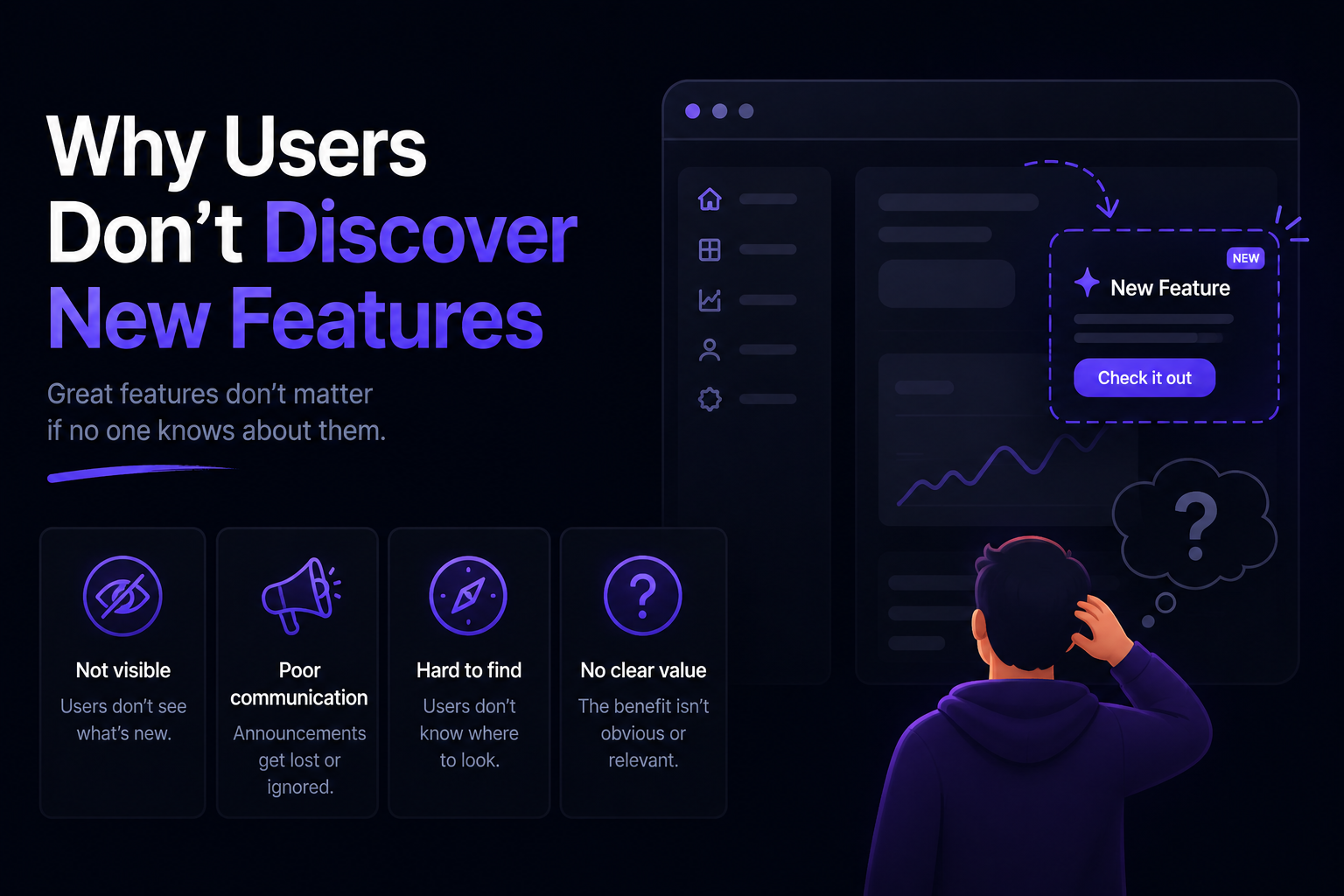
A great feature that customers never discover doesn't create much value.
That's why feature communication is part of the product launch—not an afterthought once development is finished.
How to Automate Feature Announcement Emails
Writing a feature announcement once isn't difficult.
The problem starts when your team ships features every week.
Someone has to figure out what changed, collect the relevant information, write the announcement, review it, send the email, and often update the changelog or in-app announcements too.
Over time, product communication can become another task on the release checklist.
Automation can remove much of that repetitive work.
Start with your development workflow
Your feature information probably already exists somewhere.
It might be in:
GitHub pull requests
GitHub commits
Linear issues
Jira tickets
Product specifications
Internal release notes
Instead of creating the announcement from scratch, you can use that existing information as the input.
The important part is keeping a human involved before the message reaches customers.
Use AI to create the first draft
AI can turn technical development information into a customer-friendly announcement.
For example, instead of manually turning several completed issues into an email, an AI tool can analyze the changes and produce a first draft that explains:
What changed
What customers can now do
Why the change matters
How to use it
You can then edit the draft to match your brand voice and make sure everything is accurate.
This is usually a better workflow than asking AI to invent an announcement from a vague prompt.
The more useful context the AI receives, the more useful the resulting draft tends to be.
Connect your changelog and email workflow
Your feature announcement doesn't have to exist in isolation.
The same product update can often become:
Feature → Release note → Changelog → Email → In-app announcement → Social post
Instead of rewriting the same update for every channel, you can start with one source of truth and adapt it for each audience.
This is especially useful for SaaS companies that ship frequently.
Keep human review in the workflow
Automation doesn't mean publishing everything the AI generates.
AI can misunderstand technical changes, exaggerate a feature, or miss an important limitation.
A simple review step can catch those problems before customers see them.
A good automated workflow is therefore:
Development activity → AI-generated draft → Human review → Customer communication
You get the speed of automation without giving up control over what you tell customers.
Use a dedicated release communication tool
If your team is shipping regularly, a dedicated tool can automate more than just the writing.
For example, tools such as Announcify can connect to your development workflow and turn GitHub or Linear activity into customer-facing product updates. You can review the generated content and publish it through channels such as a public changelog or in-app What's New widget.
The advantage isn't simply having an AI writer.
It's reducing the number of manual steps between shipping a feature and communicating it.
Final Thoughts
A feature announcement email doesn't need to be complicated.
The best ones usually follow a simple pattern:
What's new → Why it matters → How it works → Try it
Focus on the customer rather than the development work behind the feature. Explain the outcome in simple language, show the feature when useful, and give readers one clear next step.
And remember that shipping the feature is only half the job.
If customers don't know that a useful feature exists, they can't use it.
That's why consistent product communication matters. Whether you write every announcement manually or automate parts of the process, the goal is the same:
Build something useful, then make sure your customers know it's there.
Feature Announcement Email FAQ
What is a feature announcement email?
A feature announcement email is an email sent to customers to introduce a new feature, improvement, integration, or capability in a product. It should explain what changed, why it matters, and how customers can try it.
How long should a feature announcement email be?
There is no fixed length, but shorter is usually better.
For a simple feature, a few paragraphs may be enough. A major product launch may need more context, screenshots, or a short explanation of how the feature works.
The important thing is to give customers enough information to understand the value without making them read unnecessary details.
What should a feature announcement email include?
A good feature announcement email typically includes:
A clear subject line
What is new
The customer benefit
A short explanation of how it works
A visual when useful
A clear call to action
You don't necessarily need every element in every email. The size and complexity of the feature should determine how much information you include.
When should you send a feature announcement email?
Send the announcement when the feature is available for the customers receiving the email.
For important launches, you can also follow up later with customers who haven't tried the feature. Just avoid repeatedly sending the same message without adding anything useful.
Should every new feature get an email?
No.
Sending an email for every tiny bug fix or minor change can train customers to ignore your product emails.
Reserve dedicated feature announcements for updates that are useful, meaningful, or require customer action. Smaller improvements can be grouped into a weekly or monthly product update.
Should feature announcement emails include screenshots?
When a screenshot makes the feature easier to understand, yes.
Screenshots and GIFs are particularly useful for UI changes, new workflows, dashboards, editors, and other visual features.
For a simple improvement, however, a screenshot may not be necessary.
How can I automate feature announcement emails?
You can automate parts of the process by connecting your development workflow to an AI or release communication tool.
For example, your workflow could collect changes from GitHub, Linear, or another issue tracker, use AI to create a customer-friendly draft, and then let someone review and send the final announcement.
This reduces the repetitive work while keeping a human involved before the email reaches customers.
A Simple Framework to Remember
You don't need a complicated formula every time you announce a new feature.
Before sending your email, make sure you can answer these five questions:
What did we build?
Why should customers care?
What can they do with it?
How can they try it?
Where should they go next?
If your email answers those questions clearly, you already have the foundation of a good feature announcement.
Keep the language simple. Cut unnecessary details. Show the feature when a visual helps. And give the reader one obvious next step.
The goal isn't to make your feature sound impressive.
The goal is to make customers want to use it.
Ahmed Errami
I'm a full stack developer who is passionate about building products that help people. I'm also the founder of Announcify.
Product Updates
Aug 23, 20268 min read
Customer Communication Best Practices for SaaS
Learn how SaaS companies can communicate with customers more effectively, from product updates and feature announcements to changelogs, email, and in-app messaging.
 Ahmed Errami