Beamer Is Great for Enterprises, but Overkill for Indie Hackers | Announcify
Comparisons8 min read
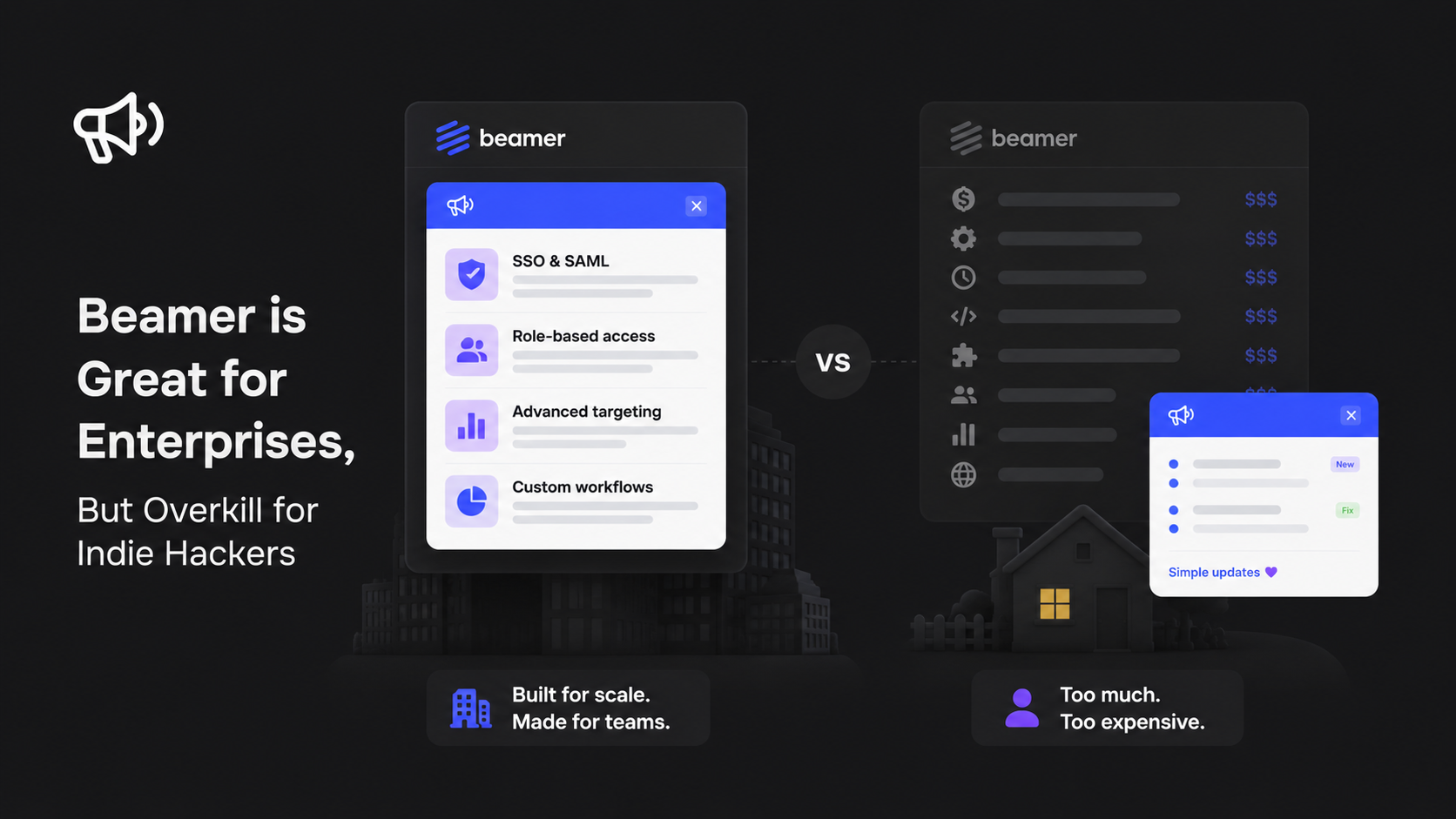
Beamer Is Great for Enterprises, but Overkill for Indie Hackers
Jul 8, 2026
Ahmed Errami
Not every SaaS needs enterprise software.
That's an easy mistake to make when you're comparing tools. The biggest names in a category often come with long feature lists, advanced workflows, and pricing designed for larger organizations. Those capabilities are valuable—but only if you actually need them.
Beamer is a great example.
It's one of the best-known platforms for product announcements, release notes, and in-app changelogs. Thousands of software companies use it to communicate new features, keep customers informed, and improve feature adoption. For larger teams managing complex products, Beamer offers a mature and capable solution.
But if you're an indie hacker, solo founder, or early-stage startup, your priorities are probably very different.
You're likely shipping fast, talking directly to customers, and trying to keep your monthly expenses under control. You probably don't need enterprise workflows, multiple approval processes, advanced audience segmentation, or a long list of features you'll rarely use. What you need is a simple way to publish product updates, maintain a beautiful changelog, and let users discover what's new.
That's where many founders start looking beyond Beamer.
This isn't because Beamer is a bad product—it isn't. In fact, for the right company, it's an excellent choice. The question is whether it's the right tool for the stage your business is in today.
Transparency note: We built Announcify, so you'll see it mentioned throughout this article. We've done our best to compare Beamer from the perspective of an indie hacker rather than trying to convince everyone to switch. Beamer is an excellent platform for many businesses, and if we think it's the better fit for a particular use case, we'll say so.
In this article, we'll look at who Beamer is really built for, why it can feel like overkill for smaller SaaS businesses, and what indie hackers should prioritize when choosing a changelog and product announcement tool. By the end, you'll have a much clearer idea of whether Beamer matches your needs, or whether a simpler solution would serve you better.
Who Beamer Is Built For
Before talking about where Beamer may not be the right fit, it's important to understand what it was designed to do.
Beamer wasn't built for every software company—it was built for teams that take product communication seriously and need more than a simple changelog. As products grow, so do the challenges of keeping customers, internal teams, and stakeholders aligned. That's where Beamer shines.
If you're managing thousands of users, multiple product managers, and frequent releases across different teams, having a dedicated platform for announcements and release communication can save a significant amount of time.
Some of the areas where Beamer stands out include:
📢 Publishing product announcements and release notes
🧩 Embedding an in-app notification center
🎯 Targeting announcements to specific user segments
📊 Tracking engagement with announcement analytics
🎨 Customizing the look and feel to match your brand
🔗 Integrating with other tools in your product workflow
These are valuable capabilities, especially for companies with dedicated product, marketing, and customer success teams.
Where Beamer Excels
Beamer is particularly well-suited for companies that have reached the stage where product communication has become a dedicated responsibility rather than an occasional task.
For example, Beamer makes a lot of sense if your company:
Has multiple product managers shipping features every week
Needs to communicate different updates to different customer segments
Tracks announcement performance and user engagement
Has marketing or customer success teams responsible for product launches
Wants advanced customization and communication workflows
Can justify paying for a specialized product communication platform
For these teams, the additional features aren't "extra"—they're part of the day-to-day workflow.
The Problem Isn't Beamer
The mistake many founders make is assuming that the most powerful tool is automatically the best tool.
That's rarely true.
A startup with two founders doesn't have the same needs as a company with 200 employees. The workflows, budgets, and priorities are completely different.
Using enterprise software for a small SaaS is a bit like renting a warehouse to store a single bicycle. The warehouse is excellent—it simply solves a much larger problem than you have.
The same idea applies to product announcement tools.
If you're an enterprise SaaS with dedicated product and customer success teams, Beamer can be an excellent investment.
But if you're an indie hacker building your first product, the features that make Beamer powerful may also be the features you never end up using.
And that's where the idea of "overkill" comes from. It isn't that Beamer has too many features, it's that many solo founders simply don't need them yet.
Why Indie Hackers Have Different Needs
If you've ever spent time in communities like Indie Hackers, Product Hunt, or X (formerly Twitter), you've probably noticed something: most founders aren't building software with a large team.
They're building it alone.
Or with one co-founder.
That changes everything.
An indie hacker isn't optimizing for enterprise workflows or cross-functional collaboration. They're trying to ship features quickly, talk directly to users, and grow their product without burning through their budget on subscriptions.
The tools that work well for a 200-person company often feel unnecessarily complex when you're running a SaaS by yourself.
Simplicity Beats Feature Lists
When you're wearing every hat—developer, designer, marketer, customer support, and founder—you don't want another tool that requires hours of setup or a long onboarding process.
You want something you can configure in a few minutes, publish an update, and get back to building.
A changelog should help you communicate with users, not become another project to manage.
That's why many indie hackers prefer software that's intentionally focused rather than packed with every possible feature.
Every Monthly Subscription Matters
Large companies usually evaluate software based on ROI.
Indie hackers often evaluate it based on cash flow.
When you're bootstrapping a SaaS, every recurring subscription adds up. Hosting, databases, email providers, analytics, monitoring, AI APIs, payment processing, and dozens of other tools already take a share of your monthly revenue.
Adding another recurring subscription for a changelog platform might not seem expensive on its own—but over the course of a year, those costs accumulate.
That's one reason many founders look for lightweight tools with transparent pricing or even one-time payment options.
Shipping Fast Is More Important Than Managing Processes
Most indie hackers don't have release managers or approval workflows.
They merge a pull request, deploy the update, and tell users what's new.
Their ideal workflow looks something like this:
Ship a feature.
Publish a release note.
Let users discover it through an in-app widget.
Move on to the next feature.
The fewer manual steps involved, the better.
That's why integrations with tools like GitHub or Linear—and automation that turns commits or completed issues into release notes—can be more valuable than enterprise communication features.
Your Customers Already Know You
Enterprise software often focuses on communicating with thousands of users across different teams, departments, and customer segments.
Indie hackers usually have a different relationship with their users.
They reply to support emails themselves.
They chat with customers on Discord or X.
They ask for feedback directly.
They often know their first hundred customers by name.
In that environment, you don't necessarily need advanced segmentation or complex announcement campaigns. What matters more is consistently sharing updates and making it easy for users to see what's new.
The Goal Is to Keep Building
Every tool you add to your stack should remove work, not create more of it.
For most indie hackers, the ideal changelog platform is one that quietly does its job in the background. It helps users discover new features, keeps your product updates organized, and fits naturally into your development workflow.
That's why many founders intentionally choose simpler tools over enterprise platforms. They're not looking for fewer capabilities because they don't care about product communication—they're looking for a solution that matches the way they build software today.
As your company grows, your needs may change. But in the early stages, simplicity, speed, and predictable costs are often more valuable than a long list of enterprise features.
Where Beamer Starts Feeling Heavy
Beamer is a powerful platform, and for many companies, that's exactly what makes it valuable.
But software isn't judged only by what it can do—it's also judged by whether those capabilities match your current needs.
For enterprise teams, Beamer's extensive feature set is a strength. For indie hackers and early-stage startups, those same features can introduce extra cost, complexity, and decisions that simply aren't necessary.
Here are the areas where Beamer may start to feel heavier than what a solo founder or small team actually needs.
💰 Pricing
When you're running a growing company with dedicated product and marketing teams, paying for specialized software is a normal business expense.
Bootstrapped founders often think differently.
Every recurring subscription competes with other essential tools like hosting, analytics, email, AI APIs, monitoring, and customer support. Even if each subscription seems reasonable on its own, the combined cost can become significant over time.
That's why many indie hackers look beyond the monthly price and ask a different question:
"Will I still be happy paying for this tool two years from now?"
For founders who want to keep recurring costs predictable, pricing is often one of the biggest reasons to explore alternatives.
🏢 Enterprise Features You May Never Use
Beamer includes features designed for companies with more mature product communication workflows.
Those capabilities can be incredibly valuable if your product team needs them.
But many indie hackers simply don't.
If you're shipping features by yourself or with one co-founder, you probably don't need:
Advanced audience segmentation
Complex announcement workflows
Enterprise collaboration features
Multiple approval processes
Extensive administrative controls
There's nothing wrong with these features—they're just solving problems that many early-stage SaaS businesses haven't reached yet.
Paying for functionality you rarely use doesn't necessarily make your workflow better.
🔄 Another Monthly Subscription
Subscription fatigue is real.
Most SaaS founders already pay for:
Cloud hosting
Databases
Email delivery
Analytics
Error monitoring
AI services
Payment processing
Domain names
Adding another recurring subscription isn't always about whether it's affordable—it's about whether it provides enough long-term value compared to everything else in your stack.
Some founders are perfectly happy with monthly pricing because they value continuous updates and support.
Others prefer tools with lifetime or one-time pricing so they can reduce recurring expenses as their business grows.
Neither approach is inherently better—it depends on how you prefer to manage your business.
⚙️ More Setup Than You Actually Need
Enterprise software often provides extensive configuration options because enterprise customers expect flexibility.
For smaller teams, however, more configuration doesn't always translate into more value.
Most indie hackers want to:
Create a changelog.
Add a widget to their app.
Publish product updates.
Get back to building.
If setting up a product announcement tool requires navigating dozens of options before publishing your first update, it can feel like unnecessary friction.
The best tool is often the one that disappears into your workflow rather than demanding your attention.
📦 Feature Overload
One of the biggest lessons many founders learn is that more features don't automatically create a better product.
Every additional setting, menu, integration, and workflow increases the amount of information users need to process.
For enterprise customers, that's often an acceptable trade-off because those features solve real operational challenges.
For solo founders, it can have the opposite effect.
Instead of making product communication easier, the software starts demanding more decisions, more maintenance, and more time.
A focused changelog tool may have fewer features on paper, but if it helps you publish updates consistently, it can deliver far more value than a platform packed with capabilities you'll rarely touch.
Heavy Doesn't Mean Bad
None of these points mean Beamer is a poor product.
In fact, they're a reflection of its strengths.
Beamer was built to support teams with more advanced communication needs, and it does that well.
The question isn't whether Beamer has "too many" features.
The question is whether your business needs those features today.
If the answer is yes, Beamer is a strong choice.
If the answer is no, you may find that a simpler tool lets you communicate with users just as effectively, while saving both time and money.
What Indie Hackers Actually Need
After talking to founders, following indie hacker communities, and building our own SaaS products, we've noticed something interesting.
Most indie hackers aren't looking for more features.
They're looking for less friction.
When you're building a SaaS by yourself, or with a small team every minute spent configuring tools is a minute you're not talking to customers, fixing bugs, or shipping the next feature.
That's why the "best" changelog platform isn't necessarily the one with the longest feature list. It's the one that fits naturally into your workflow and helps you communicate updates with as little effort as possible.
Here's what matters most to many indie hackers.
🚀 A Tool You Can Set Up in Minutes
Your changelog shouldn't become another project.
You should be able to:
Create your changelog
Match it to your brand
Add a widget to your app
Publish your first update
...all within a short amount of time.
The faster you can start communicating with users, the sooner the tool begins delivering value.
🤖 Automation Instead of Manual Work
Shipping features is already enough work.
Writing release notes from scratch every week shouldn't be.
The best changelog tools help automate repetitive tasks by integrating with your existing workflow. Whether that's turning GitHub commits into release notes, syncing completed Linear issues, or using AI to generate a first draft, automation lets founders spend less time documenting updates and more time building.
Good automation doesn't replace your voice—it simply removes the repetitive parts of the process.
💰 Predictable Pricing
Cash flow matters when you're bootstrapping.
Many founders would rather invest in customer acquisition, infrastructure, or AI credits than keep adding new monthly subscriptions.
That's why predictable pricing is important.
For some teams, a monthly subscription makes perfect sense. For others, especially solo founders planning for the long term, a one-time payment or lower recurring cost can make budgeting much simpler.
The key isn't choosing the cheapest option—it's choosing one that feels sustainable as your business grows.
🎨 A Beautiful Changelog That Reflects Your Brand
Your changelog is often one of the first places customers visit after a product update.
It should feel like a natural extension of your product—not a separate website with different colors and branding.
A good changelog platform should make it easy to:
Match your brand identity
Create professional-looking release notes
Embed an in-app widget
Provide a great experience on desktop and mobile
First impressions matter, even for something as simple as a changelog.
📢 A Simple Way to Keep Users Informed
At its core, a changelog has one job:
Help users discover what's new.
You shouldn't need a complex workflow to announce a feature.
A straightforward publishing experience combined with an in-app widget is often enough to keep customers informed and improve feature adoption.
Consistency is far more important than complexity.
🔗 Integrations That Save Time
The best tools fit into the workflow you already have.
For many indie hackers, that means connecting with tools like:
GitHub
Linear
Slack
Zapier
Webhooks
Instead of copying information between platforms, your changelog should become a natural part of your development process.
The fewer manual steps required after shipping a feature, the more likely you are to keep your changelog up to date.
Build Less Infrastructure. Ship More Features.
One of the biggest advantages indie hackers have over larger companies is speed.
You can talk to a customer in the morning, build a feature in the afternoon, and deploy it the same evening.
Your tools should support that speed—not slow it down.
The ideal changelog platform doesn't try to become your product management system, your customer success platform, or your marketing automation tool.
It focuses on doing one job exceptionally well: helping you communicate product updates quickly, clearly, and consistently.
If that's what you're looking for, a lightweight changelog solution will often serve you better than an enterprise platform designed for teams with very different needs.
Beamer vs. Announcify: A Quick Comparison
If you're deciding between Beamer and Announcify, here's a side-by-side comparison of the features that matter most to indie hackers and small SaaS teams.
This isn't about declaring one tool "better" than the other. Both products are designed for different audiences. The goal is to help you quickly identify which one fits your workflow.
Feature
Beamer
Announcify
Best For
Medium-sized businesses & enterprise teams
Indie hackers, startups & small SaaS teams
Pricing
Monthly subscription
$129 one-time payment
Public Changelog
✅
✅
In-App Changelog Widget
✅
✅
AI-Generated Release Notes
❌
✅
GitHub Integration
✅
✅
Linear Integration
Limited
✅
Setup Time
Moderate
A few minutes
Learning Curve
Moderate
Minimal
Enterprise Workflows
✅
❌
Advanced Audience Segmentation
✅
❌
Public Roadmap
❌
❌
Feature Voting
❌
❌
Custom Branding
✅
✅
SEO-Friendly Public Changelog
✅
✅
Best Pricing Model
Monthly subscription
One-time payment
The Biggest Differences
Looking beyond the feature checklist, the biggest difference isn't what each platform can do—it's who each platform is built for.
Choose Beamer if...
Beamer is likely the better choice if you:
Manage a larger SaaS company
Have dedicated product or customer success teams
Need advanced audience segmentation
Want enterprise-focused communication features
Don't mind paying a recurring monthly subscription for additional functionality
For companies with more complex product communication needs, those extra capabilities can be well worth the investment.
Choose Announcify if...
Announcify is likely a better fit if you:
Run a bootstrapped SaaS
Are a solo founder or small startup
Want to publish release notes with minimal setup
Prefer predictable pricing with a one-time payment
Want AI to help generate release notes
Use GitHub or Linear as part of your development workflow
Value simplicity over enterprise complexity
If your goal is to communicate product updates quickly without maintaining another complex platform, a lightweight solution is often the better fit.
The takeaway: Beamer isn't "too much" software—it's software built for a different stage of growth. If your team is growing into enterprise workflows, Beamer offers plenty of value. If you're still moving fast with a small team, a simpler tool may help you spend less time managing software and more time building your product.
When Beamer Is Still the Right Choice
Although we've explained why Beamer can feel like overkill for indie hackers, that doesn't mean it's the wrong choice for everyone.
In fact, for many companies, it's exactly the right tool.
As your product grows, your communication needs naturally become more complex. You may have multiple product managers shipping features simultaneously, a customer success team coordinating announcements, and thousands of users who need different types of updates.
That's the environment Beamer was designed for.
If your company is already operating at that scale—or expects to be soon—the additional features and workflows can be a worthwhile investment.
Beamer Is a Great Choice If...
Beamer is likely the better option if your team:
🏢 Has multiple product managers or engineering teams
👥 Needs advanced audience segmentation for announcements
📊 Relies on detailed analytics to measure announcement engagement
📣 Runs coordinated product launches across marketing, customer success, and support
⚙️ Requires enterprise-level workflows and collaboration features
💼 Is comfortable with a recurring monthly software budget
For larger SaaS businesses, these aren't "extra" features—they're part of running a mature product organization.
You Don't Have to "Graduate" to Better Software
One misconception in SaaS is that as your business grows, you automatically need more complex tools.
Sometimes that's true.
Sometimes it isn't.
The best software is the software that solves your current problems—not the problems you might have two years from now.
If your team is still small, your release process is straightforward, and your product communication is simple, there's no benefit in adopting enterprise workflows before you actually need them.
On the other hand, if you're already coordinating releases across multiple teams and customer segments, investing in a platform like Beamer can save time and improve consistency.
Choose the Tool That Matches Your Stage
Instead of asking:
"Which product has the most features?"
Ask:
"Which product fits the way my team works today?"
For many indie hackers, the answer is a lightweight changelog tool that's fast to set up, affordable, and easy to maintain.
For larger organizations, the answer may very well be Beamer.
Neither choice is objectively better.
They're simply optimized for different stages of building software.
That's why we don't see Beamer and lightweight alternatives as direct opposites. They exist to solve different problems for different kinds of teams—and choosing the right one is ultimately about finding the best fit for your workflow, your budget, and the way you ship products.
Why We Built Announcify
When we started building SaaS products, we ran into the same problem many indie hackers face.
We wanted a simple way to tell users about new features.
Not a complete product management suite.
Not enterprise communication software.
Just a beautiful changelog, an in-app widget, and a workflow that fit naturally into the way we already build products.
We looked at the existing options, and while many of them were excellent, they were designed for companies much larger than ours. They included features that made sense for enterprise teams, but not necessarily for a solo founder shipping updates every week.
That's what inspired Announcify.
Built Around How Indie Hackers Actually Ship
Most indie hackers follow a workflow that's surprisingly simple:
Build a feature.
Merge the code.
Deploy.
Tell users what's new.
Start building the next feature.
We wanted a changelog tool that supported that process instead of adding extra steps to it.
Rather than creating another platform with dozens of dashboards and configuration screens, we focused on making product announcements as effortless as possible.
Our Principles
Every feature in Announcify is guided by a few simple principles.
🚀 Simplicity Over Complexity
A changelog should take minutes to set up—not hours.
We believe founders should spend their time improving their product, not learning another piece of software.
🤖 Automate the Repetitive Work
Writing release notes shouldn't feel like a second job.
That's why Announcify can generate release notes from your GitHub commits or completed Linear issues using AI. You still stay in control of the final message, but the repetitive work is handled for you.
💰 Predictable Pricing
As founders ourselves, we understand how quickly recurring subscriptions add up.
Instead of another monthly bill, we chose a one-time payment model so customers can keep using Announcify without adding another recurring expense to their SaaS stack.
🎨 A Changelog You're Proud to Share
Your changelog is part of your product.
It shouldn't look like an afterthought.
We focused on creating a clean, modern experience that feels at home inside today's SaaS applications, whether users are reading your public changelog or discovering updates through the in-app widget.
Announcify Isn't for Everyone
Just like Beamer isn't the right tool for every company, neither is Announcify.
If you're managing a large product organization with dedicated product managers, customer success teams, and complex communication workflows, you'll probably benefit from a platform built specifically for enterprise needs.
That's not the audience we set out to serve.
We built Announcify for:
Solo founders
Indie hackers
Bootstrapped startups
Small SaaS teams
Developers who ship frequently
If your goal is to communicate product updates without adding unnecessary complexity to your workflow, that's exactly what Announcify was designed to do.
Different Products for Different Stages
One of the biggest lessons we've learned while building software is that the "best" tool depends on where you are today.
Early-stage founders value speed, simplicity, and predictable costs.
Growing startups begin to care more about collaboration and customer feedback.
Enterprise companies need advanced workflows, segmentation, and governance.
None of those priorities are wrong—they simply reflect different stages of growth.
We built Announcify for the first stage because that's where we were ourselves, and it's where many SaaS founders still are.
If that's where your business is today, we think you'll appreciate having a changelog platform that's designed around your workflow—not around enterprise requirements you may never need.
Conclusion
Beamer has earned its reputation as one of the leading product announcement platforms, and for many companies, it's absolutely the right choice.
If you're managing a large product organization, coordinating launches across multiple teams, or need advanced communication workflows, Beamer provides the features to support that level of complexity.
But most SaaS companies don't start there.
Most begin with one founder, a handful of customers, and a product that's evolving every week. At that stage, speed matters more than process. Simplicity matters more than feature lists. And every subscription is another expense that needs to justify itself.
That's why the "best" changelog tool isn't the one with the most capabilities—it's the one that fits the way you work today.
If you're an indie hacker or early-stage startup, you probably don't need enterprise workflows to publish release notes or announce new features. You need a tool that's easy to set up, integrates with your existing workflow, and helps you keep customers informed without slowing you down.
That's exactly why we built Announcify.
We wanted a changelog platform that feels lightweight, modern, and practical for founders who ship fast. A tool that lets you publish beautiful product updates, embed an in-app changelog widget, and generate release notes with AI—without adding another recurring subscription to your business.
If that sounds like the way you build software, we'd love for you to give Announcify a try.
Whether you choose Announcify, Beamer, or another tool from this guide, the most important thing is that you communicate consistently with your users. Great products deserve great product communication, and a well-maintained changelog is one of the simplest ways to build trust, highlight your progress, and help customers discover the value you're shipping every week.
Ahmed Errami
I'm a full stack developer who is passionate about building products that help people. I'm also the founder of Announcify.
Product Updates
Sep 5, 20268 min read
Best AI Release Notes Generators
Manually writing release notes after every deployment takes time. Here are the best AI release notes generators for turning your development workflow into clear, customer-friendly product updates.
 Ahmed Errami