15 Best Product Announcement Examples from SaaS Companies (2026 Guide) | Announcify
Product Announcements10 min read
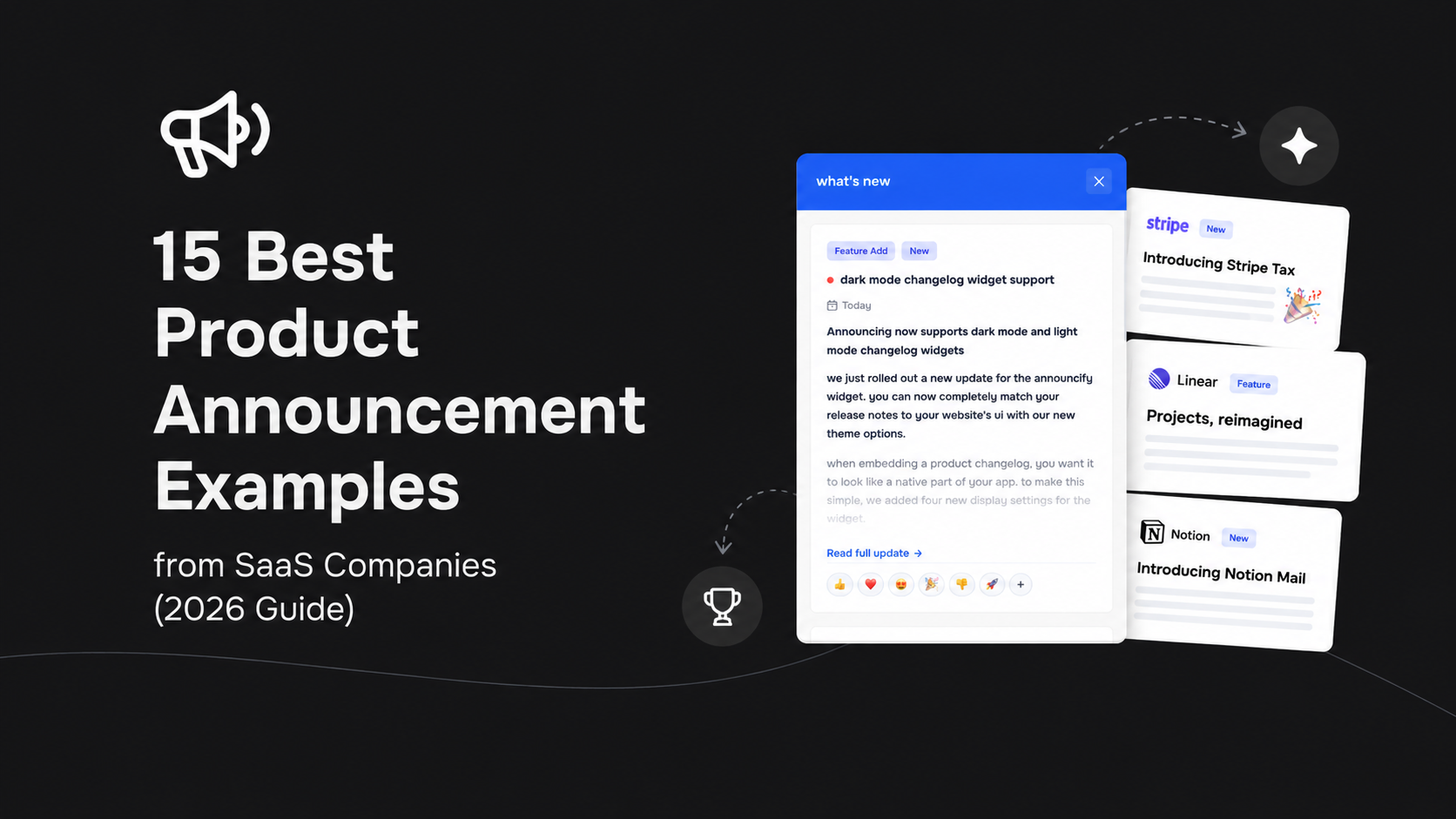
15 Best Product Announcement Examples from SaaS Companies (2026 Guide)
Jul 1, 2026
Ahmed Errami
Shipping a new feature is only half the job.
The other half is making sure your users actually discover it, understand it, and start using it.
Unfortunately, many SaaS companies spend weeks building features only to announce them with a single email—or worse, not announce them at all. The result? Low feature adoption, confused customers, and valuable product updates that go unnoticed.
The best SaaS companies don't make this mistake.
Companies like Notion, Linear, Slack, Figma, and Canva have turned product announcements into a competitive advantage. They use clear messaging, engaging visuals, and well-timed communication to generate excitement, educate users, and drive adoption every time they ship something new.
In this guide, we'll break down 15 of the best product announcement examples from leading SaaS companies, explain what makes each one effective, and highlight practical ideas you can apply to your own product—whether you're launching your first feature or managing updates for thousands of customers.
What Makes a Great Product Announcement?
A great product announcement does more than tell users what changed.
It answers the questions your customers actually care about:
The most successful announcements focus on customer value, not technical implementation. Instead of listing every improvement, they explain the problem that was solved and how the update makes the product better.
The strongest product announcements usually include:
A clear, benefit-driven headline
A short explanation of the new feature
Screenshots, GIFs, or short videos
A simple call-to-action
Links to documentation or release notes
Multiple distribution channels (in-app, email, changelog, and social media)
Why Learning from Great Examples Matters
Every successful SaaS company has its own communication style, but they all share one goal: help users discover and adopt new features.
Studying real-world examples is one of the fastest ways to improve your own announcements. You'll see how leading product teams structure their messaging, present visuals, and encourage users to take action without overwhelming them with unnecessary details.
As you read through the examples below, pay attention to:
How they write headlines
How they explain customer benefits
How much detail they include
The visuals they use
Where they publish announcements
The calls-to-action they choose
By the end of this guide, you'll have a collection of proven ideas you can adapt for your own SaaS product.
Let's dive into the best product announcement examples from some of the world's most successful software companies.
Example 1: Notion — Clean, Educational Feature Announcements
When Notion launches a new feature, it doesn't just announce what's new—it teaches users how to use it. Their announcements combine concise copy, polished visuals, and short demo videos that make even complex features feel approachable.
Instead of listing technical improvements, Notion focuses on the workflow that the feature improves.
Why it works
Benefit-focused headline
High-quality visuals and GIFs
Short videos demonstrating the feature
Links to detailed documentation
Clear call-to-action to try the feature
Takeaway: Don't assume users will understand your feature. Show them exactly how it solves a problem.
Example 2: Linear — Simple Product Updates That Respect Users' Time
Linear is known for shipping quickly, and its product announcements reflect that philosophy.
Rather than publishing lengthy release notes, Linear delivers short, well-structured updates that highlight the most important improvements first.
Each announcement is easy to skim while still providing enough detail for users who want to learn more.
Why it works
Concise writing
Beautiful screenshots
Consistent branding
Organized with headings
Easy to scan in under a minute
Takeaway: Most users don't want to read an essay. Prioritize clarity over completeness.
Example 3: Slack — Focus on User Benefits, Not Features
Slack rarely starts announcements by talking about technology.
Instead, their messaging answers one question:
"How will this make my work easier?"
Whether introducing AI features or workflow improvements, Slack explains the real-world impact before diving into technical details.
Why it works
Customer-first messaging
Practical examples
Friendly tone
Strong visuals
Clear CTA
Takeaway: Users buy outcomes—not features.
Example 4: Figma — Storytelling Around Every Release
Figma excels at building excitement before revealing new capabilities.
Their announcements often begin with the problem designers face, followed by the solution and a polished demonstration of the feature in action.
This storytelling approach keeps users engaged from beginning to end.
Why it works
Strong narrative
Excellent product demos
Professional animations
Focus on creative workflows
Encourages immediate exploration
Takeaway: Instead of saying "Here's our new feature," explain the journey from problem to solution.
Example 5: Canva — Visual-First Product Announcements
As a design platform, Canva naturally leads with visuals.
Their announcements feature large screenshots, videos, before-and-after comparisons, and examples that immediately communicate the value of the update.
The copy supports the visuals rather than replacing them.
Why it works
Eye-catching images
Minimal text
Clear value proposition
Interactive demos
Easy-to-understand examples
Takeaway: If a picture explains your feature better than three paragraphs, use the picture.
Example 6: Loom — Short Videos That Drive Feature Adoption
Loom frequently introduces new features with a quick product walkthrough recorded using its own software.
Instead of forcing users to read documentation, they can watch the feature in less than two minutes.
This dramatically reduces the learning curve.
Why it works
Video-first communication
Personal, conversational tone
Real product demonstrations
Faster onboarding
Higher engagement
Takeaway: A 90-second demo video can outperform a thousand words.
Example 7: GitHub — Detailed Release Notes for Power Users
GitHub publishes comprehensive release notes that serve both casual users and developers.
Announcements start with a concise summary before providing technical details, screenshots, rollout information, and documentation links.
This layered approach lets readers consume as much—or as little—information as they need.
Why it works
Executive summary first
Technical details below
Organized sections
Documentation links
Transparent rollout information
Takeaway: Structure announcements so every audience can quickly find the level of detail they're looking for.
Example 8: Framer — Launches That Feel Like Product Events
Framer treats major feature releases like mini product launches.
Instead of simply publishing a changelog entry, they create excitement through teaser content, launch videos, dedicated landing pages, social media posts, and polished announcement articles.
By the time users see the announcement, anticipation has already been built.
Why it works
Multi-channel communication
Dedicated launch page
Professional videos
Strong branding
Consistent messaging across platforms
Takeaway: Your announcement shouldn't live in just one place. Combine your changelog, email, in-app notifications, blog, and social media to maximize reach.
Example 9: Vercel — Developer-Focused Announcements That Stay Accessible
Vercel regularly ships new features for developers, but its announcements never assume readers already understand the technical details.
Each update starts with the problem being solved, followed by a concise explanation, code examples (when relevant), screenshots, and links to deeper documentation.
This layered approach makes announcements valuable for both experienced developers and newcomers.
Why it works
Explains the problem before the solution
Uses real-world examples
Includes code snippets only when necessary
Links to documentation without overwhelming readers
Clean, consistent design
Takeaway: Even technical audiences appreciate simple explanations. Start with the value before diving into implementation.
Example 10: ClickUp — Feature Roundups That Keep Customers Engaged
Instead of announcing every update individually, ClickUp often bundles smaller improvements into monthly product update roundups.
This allows users to discover multiple improvements in one place without receiving a flood of emails or notifications.
The most impactful features appear first, while smaller quality-of-life improvements are grouped toward the end.
Why it works
Highlights the biggest features first
Keeps announcements organized
Reduces notification fatigue
Encourages users to explore multiple updates
Easy to scan with headings and visuals
Takeaway: Not every improvement deserves its own announcement. Bundle smaller updates into a regular release roundup.
Example 11: Miro — Customer-Centric Storytelling
Miro frames product announcements around customer workflows rather than product capabilities.
Instead of saying, "We've added Feature X," they explain how teams can brainstorm faster, collaborate more effectively, or reduce repetitive work.
The feature becomes the solution—not the headline.
Why it works
Focuses on customer outcomes
Uses real collaboration scenarios
Includes practical examples
Strong visual storytelling
Clear call-to-action
Takeaway: Talk about what users can accomplish—not just what you've built.
Example 12: HubSpot — Educational Product Updates
HubSpot rarely publishes a feature announcement without also educating users.
Most announcements include tutorials, videos, documentation, FAQs, and best practices to help customers get immediate value from new features.
This reduces support requests while increasing feature adoption.
Why it works
Combines announcements with education
Includes tutorials and videos
Answers common questions
Encourages self-service learning
Builds long-term customer success
Takeaway: A great announcement doesn't end when users click "Learn more." Help them succeed with the feature.
Example 13: Airtable — Interactive Feature Launches
Airtable combines written announcements with interactive product demos.
Instead of asking users to imagine how a feature works, they let users experience it through animations, embedded videos, and clickable examples.
Interactive content shortens the learning curve and increases engagement.
Why it works
Interactive product demonstrations
High-quality animations
Easy-to-follow examples
Minimal but effective copy
Strong visual hierarchy
Takeaway: The faster users understand your feature, the faster they'll adopt it.
Example 14: Coda — Transparent Product Communication
Coda doesn't only celebrate major launches—it also communicates incremental improvements, beta releases, and ongoing product development.
This transparency helps users feel involved in the product's evolution instead of being surprised by unexpected changes.
Regular communication builds trust over time.
Why it works
Consistent update cadence
Transparent roadmap communication
Shares beta features and improvements
Encourages user feedback
Strengthens customer trust
Takeaway: Frequent, transparent communication is often more valuable than occasional "big" announcements.
Example 15: Stripe — Minimal Announcements with Maximum Impact
Stripe's product announcements are a masterclass in clarity.
Every announcement follows a simple structure:
What's new
Why it matters
How to get started
There's very little marketing language. Instead, the product speaks for itself through concise copy, polished visuals, and excellent documentation.
This straightforward approach builds credibility and helps users quickly understand the value of each update.
Why it works
Extremely clear messaging
Professional design
Focus on customer value
Excellent supporting documentation
Strong calls-to-action
Takeaway: Simplicity wins. Remove unnecessary marketing jargon and focus on helping users understand what's new.
What the Best SaaS Product Announcements Have in Common
After reviewing these 15 product announcement examples, it's clear that successful SaaS companies follow remarkably similar principles.
Whether it's Notion introducing AI features, Linear shipping weekly improvements, or Stripe launching new APIs, they all prioritize helping users understand why an update matters—not just what changed.
Here are the patterns you'll see across nearly every successful product announcement:
✅ They lead with customer benefits instead of technical details.
✅ They use screenshots, GIFs, or short videos to explain features visually.
✅ They keep announcements concise and easy to scan.
✅ They include a clear call-to-action so users know what to do next.
✅ They link to documentation or release notes for users who want more information.
✅ They announce updates across multiple channels, including email, in-app notifications, changelogs, blogs, and social media.
The lesson is simple:
The goal of a product announcement isn't just to inform users that something shipped—it's to help them discover, understand, and adopt your new features.
The companies in this list don't treat announcements as an afterthought. They see them as an essential part of the product experience.
If you adopt the same mindset, your users will be far more likely to engage with every release you ship.
Best Practices for Writing Product Announcements That Users Actually Read
After analyzing the product announcement strategies of leading SaaS companies, one thing becomes clear:
Successful announcements aren't about writing more—they're about communicating better.
Whether you're announcing a small improvement or launching your biggest feature of the year, these best practices will help you create announcements that increase feature adoption and keep customers engaged.
1. Lead with the Customer Benefit
The biggest mistake SaaS companies make is announcing what they built instead of why users should care.
Instead of this:
We've added customizable dashboard widgets.
Write this:
Build the dashboard you actually need with fully customizable widgets.
Your users aren't interested in the implementation—they want to know how their workflow improves.
2. Keep Headlines Clear and Specific
Your headline determines whether someone reads the rest of your announcement.
Compare these examples:
❌ Product Update #27
❌ New Improvements
✅ Build Reports 3× Faster with AI
✅ Introducing Shared Team Dashboards
A great headline tells users exactly what changed and why it matters.
3. Show the Feature in Action
People understand visuals much faster than paragraphs.
Whenever possible, include:
Product screenshots
Animated GIFs
Short videos
Before-and-after comparisons
Interactive demos
If users can understand the feature in five seconds, they're much more likely to try it.
4. Explain the Problem Before the Solution
The best announcements start with the pain point.
For example:
Keeping track of customer conversations shouldn't require switching between five different tools.
Then introduce the feature.
That's why we've built a unified customer inbox.
This simple structure makes announcements far more persuasive.
5. Keep It Short
Your announcement isn't product documentation.
Aim to answer:
What's new?
Why does it matter?
How do I use it?
Save technical details for your documentation or release notes.
6. Include a Clear Call-to-Action
Every announcement should tell users what to do next.
Examples include:
Try the feature
Watch the demo
Read the documentation
Explore the changelog
Give feedback
Without a CTA, users often read the announcement and move on.
7. Publish Across Multiple Channels
Don't rely on email alone.
The best SaaS companies announce new features through multiple channels:
In-app notifications
Public changelog
Email newsletters
Blog posts
Social media
Product tours
Push notifications
Different users prefer different communication channels.
8. Be Consistent
Publishing one great announcement every six months isn't enough.
Successful SaaS companies create a predictable communication rhythm.
Whether you publish weekly, biweekly, or monthly, consistency builds trust and keeps customers engaged with your product.
9. Use Real Customer Language
Avoid internal terminology and engineering jargon.
Instead of saying:
We've implemented asynchronous synchronization.
Say:
Your data now updates automatically in the background.
Write the way your customers speak—not the way your developers do.
10. Measure Performance
Treat product announcements like any other product feature.
Track metrics such as:
Email open rate
Click-through rate
Feature adoption
User engagement
Time spent on announcement pages
Customer feedback
The best product teams continuously improve their communication based on data.
Common Mistakes to Avoid
Even great products can have poor announcements.
Here are some of the most common mistakes:
Focusing on technical implementation instead of customer value.
Writing long blocks of text without visuals.
Publishing announcements without a clear call-to-action.
Sending every update via email only.
Using generic titles like "Product Update."
Waiting months before communicating new features.
Hiding announcements deep inside documentation.
Ignoring customer feedback after launch.
Avoiding these mistakes can significantly improve feature discovery and adoption.
Ready to Create Better Product Announcements?
Writing and publishing product announcements shouldn't be complicated.
With Announcify, you can create a beautiful public changelog, publish polished product announcements, and keep customers informed from one place—without spending hours formatting blog posts or updating multiple channels manually.
Whether you're an indie hacker launching your first SaaS or a growing startup shipping new features every week, Announcify helps you communicate every release with clarity and consistency.
With Announcify, you can:
📢 Publish beautiful product announcements in minutes
📝 Maintain a professional public changelog
🎨 Customize your announcement page to match your brand
🚀 Keep customers informed about every new release
📈 Improve feature discovery and product adoption
🔗 Share updates through a simple, public link
Your team puts countless hours into building new features.
Make sure your users actually see them.
👉 Start using Announcify today and turn every product update into an announcement your customers will actually read.
Ahmed Errami
I'm a full stack developer who is passionate about building products that help people. I'm also the founder of Announcify.
Product Updates
Sep 5, 20268 min read
Best AI Release Notes Generators
Manually writing release notes after every deployment takes time. Here are the best AI release notes generators for turning your development workflow into clear, customer-friendly product updates.
 Ahmed Errami